All Minecraft Commands With Explanations – Updated to 2025
Minecraft is full of creativity and endless exploration. Every player wants to master it, but there’s a secret shortcut — Minecraft commands. These commands let you control the entire game world. You can change the time, spawn any mob, or even get rare items instantly. Let’s explore how to use these commands smartly to make your gameplay easier and more exciting!
Permissions To Allow Before Applying Commands
Before using commands, you must enable certain permissions, or they won’t work.
- In Bedrock Edition: Turn on the “Allow Cheats” option in world settings. But remember—once this option is enabled, Minecraft achievements will be disabled, so use it wisely.
- In Java Edition: You can enable cheats either while creating your world or later by opening the LAN settings and turning cheats on.
Essential Minecraft Commands
Teleport Command
The Teleport Command in Minecraft allows players to instantly move from one location to another or teleport to another player. Whether you’re exploring, building, or escaping danger, this command is one of the most useful tools in the game.

How to use:
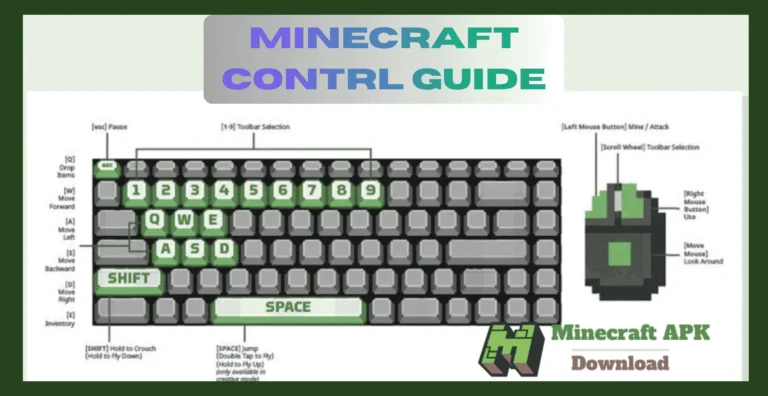
- Open the chat by pressing T.
- Type
/tp, followed by your target.
Examples:
- Teleport to another player:
/tp NotGamerGG— Teleports you to that player if they’re currently in your world. - Teleport to specific coordinates:
/tp 100 64 -200— Instantly moves you to the selected location.
Give Command (/give)
The Give Command lets you give any item to yourself or other players. You can set the target, item type, amount, and even add enchantments or attributes.
Components:
- Target:
@p= nearest player@a= all players@r= random player@s= yourself- or specify a player name
- Item Example:
minecraft:diamond_sword,minecraft:bow,minecraft:stone - Amount: e.g.,
2,20, or64 - NBT Tags: Add extra effects such as enchantments
- One enchantment:
{Enchantments:[{id:"minecraft:sharpness",lvl:5}]} - Multiple enchantments:
{Enchantments:[{id:"minecraft:power",lvl:5},{id:"minecraft:infinity",lvl:1}]}
Arrangement
Now we have to place all components together and make a command – with this step we will learn the final mastering of give command :
- Lets pick target – all players – so we will use – @a
- lets pick item – bow – so we will use – minecraft:bow
- lets pick a amount – 2 – so we will use – 2
- No NBT for now.
Our final command – /give @a minecraft:bow 2
Summon Command
Summon Command
The summon command is one of the easiest and most useful commands. It allows you to spawn any mob, such as a zombie, sheep, or any creature you like, directly in your world.
To use it, type the following in the chat bar:
Command: /summon zombie
This will spawn a zombie right in front of you. You can replace the word “zombie” with any other mob name to summon a different creature.
Game Mode Command
Another simple one, with this you can change your mode of game (survival, creative, adventure, or spectator) to any you like.
First write /gamemode then type the name of the mode you want to select:
Command: /gamemode creative
It will change your gamemode to creative.
Time Change Command
This command lets you control the time of day in your world. You can quickly switch between day, evening, or night depending on what you want to do.
To use it, type the following command:
Command: /time set evening
This will change your game time to evening. You can also replace “evening” with day, night, or even specific values like “1000” for morning or “13000” for night.
Weather Command
The most simplest one, with this command you can change the weather of the game for example you can do snowfalling or rain.
First write /weather then write the type of weather such as rain:
- Command: /weather rain
- It will change the game weather to rain.
Advanced Commands In Minecraft
Advanced commands in Minecraft are used for more complex works that cannot be done manually. Players can benefit from these commands when they need to arrange a custom event or extinct a mob forever or for a small time.
Effect Command
Effect commands are used to give special abilities or powers to players. You can use them on yourself or any other player in the game. These powers can be anything — from strength and speed to slowness or invisibility — making them great for custom events or fun challenges.
How to write: /effect give (target) (effect) [seconds] [level] [hideParticles]
Example: /effect give @p speed 60 2
This command gives the nearest player speed level 2 for 60 seconds.
Execute Command
Execute commands have their own system, with its use you can make make a whole new condition in game,you can make a command that teleports a player standing on a diamond block straight to you. You can even use it to make messages appear in chat as if they were sent by another player.you can build complex systems, events, and automations that make your world feel more dynamic and alive.
System
Here’s what each part means in a simple way:
as <targets> → Runs the command as another entity.
at <targets> → Runs the command at another entity’s position.
positioned / rotated / facing / anchored → Changes location, direction, or anchor point.
in <dimension> → Runs the command in a specific dimension (Overworld, Nether, or End).
if / unless <condition> → Adds conditions (like checking if a block exists, if a player has a score, or if an entity is nearby).
store → Saves the command result into something like a scoreboard or block data.
run <command> → The main command that will finally be executed.
Way to write:
/execute [as <targets>] [at <targets>] [positioned <pos>|as <entity>] [rotated <rot>|facing <pos>|facing entity <entity> <anchor>] [anchored <anchor>] [in <dimension>] [if|unless <condition>] [store <type> <storage>] run <command>
Example:
/execute as @a at @s if block ~ ~-1 ~ minecraft:diamond_block run say I am on diamonds!
This command checks if a player is standing on a diamond block, and if true, it makes that player say “I am on diamonds!” in the chat.
Summon Command With NBT – Advanced
These commands are used to spawn a mob with custom powers, you can make it a giant and give him 100 hearts, and also name him the boss mob :
Way to write:/summon mob ~ ~ ~ {CustomName:'{“text”:”title”}’,Health:health amount}
Example: /summon zombie ~ ~ ~ {CustomName:'{“text”:”Boss Zombie”}’,Health:100.0f}
Conclusion
Minecraft commands are the most powerful tools in the game. With them, you can spawn a dragon, punish players, or even make storms happen. You can also have fun by disguising or trapping someone. In the end, it’s all just for fun. Now you know many commands, so go and try them out in your world. Stay tuned for more fun blogs, and don’t forget to check our other pages too.